My Agentic Coding Workflow: How I 10x'd Productivity Without Burning Out (or Burning Cash)
A practical agentic coding workflow using Spokenly, Opencode, and Zed in 2026 🛠️

There's a quiet revolution happening in how software gets built. It's not about a new framework, a new language, or a new cloud provider. It's about a fundamental shift in the interface between a developer and their tools.
We've moved from writing code to directing agents. And most developers still don't have a reliable agentic coding workflow.
I've spent the last several months obsessing over this: building an agentic coding workflow that actually holds up, testing tools, breaking habits, rebuilding routines. What follows is an honest account of what's actually working for me. Take what's useful, leave what isn't.
The New Bottleneck Isn't Code. It's Context.
In the age of agentic programming (Cursor, Claude Code, and their kin), the quality of your output is almost entirely determined by the quality of your input. The agent is only as good as the context and requirements you give it. As Andrej Karpathy often emphasizes, these systems are incredibly capable, but only when your context is sharp.
And here's the uncomfortable truth: most developers are still typing their prompts. Slowly. Imprecisely. Fighting with a keyboard to express something their brain already knows.
Typing is not natural to human psychology. Speaking is. 🎙️
When I speak, I think faster. I cover more ground. Ideas come out in the order they occur to me, not in the order I can type them. The friction disappears.
That realization led me to Spokenly, a local, on-device speech-to-text tool that supports a range of transcription models. I personally use NVIDIA's Parakeet models, but Spokenly gives you the flexibility to choose what works best for you. The free version is fast, private (nothing leaves your machine), and genuinely good at capturing technical vocabulary. I use it to speak out my requirements, feature ideas, and prompts, raw and unfiltered, directly into my agentic workflow.
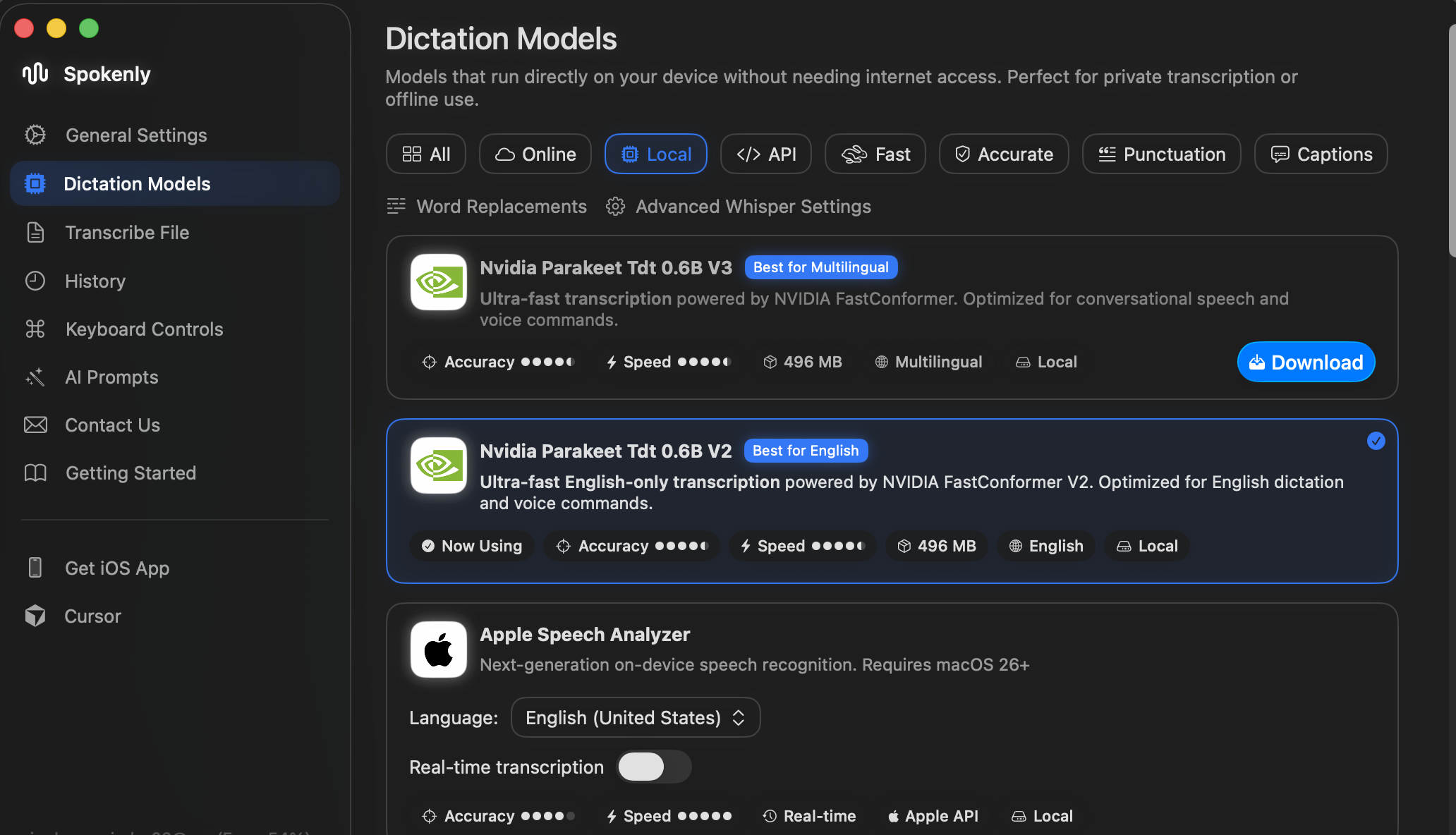
My local setup runs NVIDIA Parakeet Tdt 0.6B V2 for English, entirely on-device. No latency. No subscription. No cloud call. Just speech, transcribed, ready to use.
The Messy Middle: Why Plan Mode Changes Everything
Here's what nobody tells you about speaking your requirements: it's messy.
You meander. You correct yourself mid-sentence. You say one thing, mean another. You forget the edge cases until you're halfway through. The transcript reads like a stream of consciousness, because that's exactly what it is.
Early on, I'd spend significant time cleaning up these transcripts before handing them to the agent. That felt wrong. It was eating back the time I'd saved by speaking in the first place.
The fix? Don't clean it up yourself. Let Plan Mode do it. 🧭
Most serious agentic coding tools (Cursor, Opencode, and others) have a planning mode where the agent analyzes your requirements and produces a structured implementation plan without writing a single line of code. I dump my raw, rambling Spokenly transcript straight into plan mode and let the agent distill it.
But plan mode is more than just a cleanup tool. It's a thinking checkpoint, and it turns out to be one of the most valuable parts of the whole workflow.
Here's what I've learned from using it consistently:
I miss things when I speak. When I read back a structured plan derived from my transcript, I almost always spot requirements I forgot to mention. Things that felt obvious in my head never made it out of my mouth.
Ambiguity turns into bugs. Some things I did say get interpreted differently than I intended. A plan makes that visible before implementation. A bug caught at the planning stage costs nothing. A bug caught after a 20-minute agent run costs you the run, the review time, and another full cycle.
Agent runtime is expensive in time, not just money. For larger implementations, agentic runs take a long time. If you discover a fundamental misunderstanding only after the agent has finished, you're looking at: fix the prompt, re-run the agent, wait again, review again. That compounding wait time is a real productivity killer.
The mental model I've settled on: the plan is cheap, the run is expensive. Do all your hard thinking while it's still cheap. Iterate on the plan, speaking corrections back into Spokenly, refining, re-prompting, until you're genuinely satisfied with it. Then let the agent run, and trust it to do its thing.
Coding Agents: Why I Switched from Cursor and Claude Code to Opencode
With requirements crystallised into a solid plan, the next question is: which agent actually executes it?
I started, like most people, with Cursor and Claude Code. They're polished, well-documented, and have strong communities. But I ran into a wall that I suspect more developers will hit as agentic workflows mature: model lock-in and cost. 💸
These tools give you access to a limited set of models. And when Anthropic pulled the plug on using Claude subscriptions inside third-party coding agents, I was left with a pure pay-as-you-go model. Running frontier models like Opus or OpenAI's Codex on metered billing, on the volume of prompts that agentic coding generates, burns tokens fast. The economics stopped making sense. Even Dario Amodei has spoken publicly about the cost realities of frontier model inference, and as a heavy user you feel it quickly.
I'm also, at heart, an open source person. Supporting the open source ecosystem has always been important to me, both philosophically and practically. I believe the best developer tools are built in the open, by communities who use them.
Both of those instincts pointed me toward Opencode.
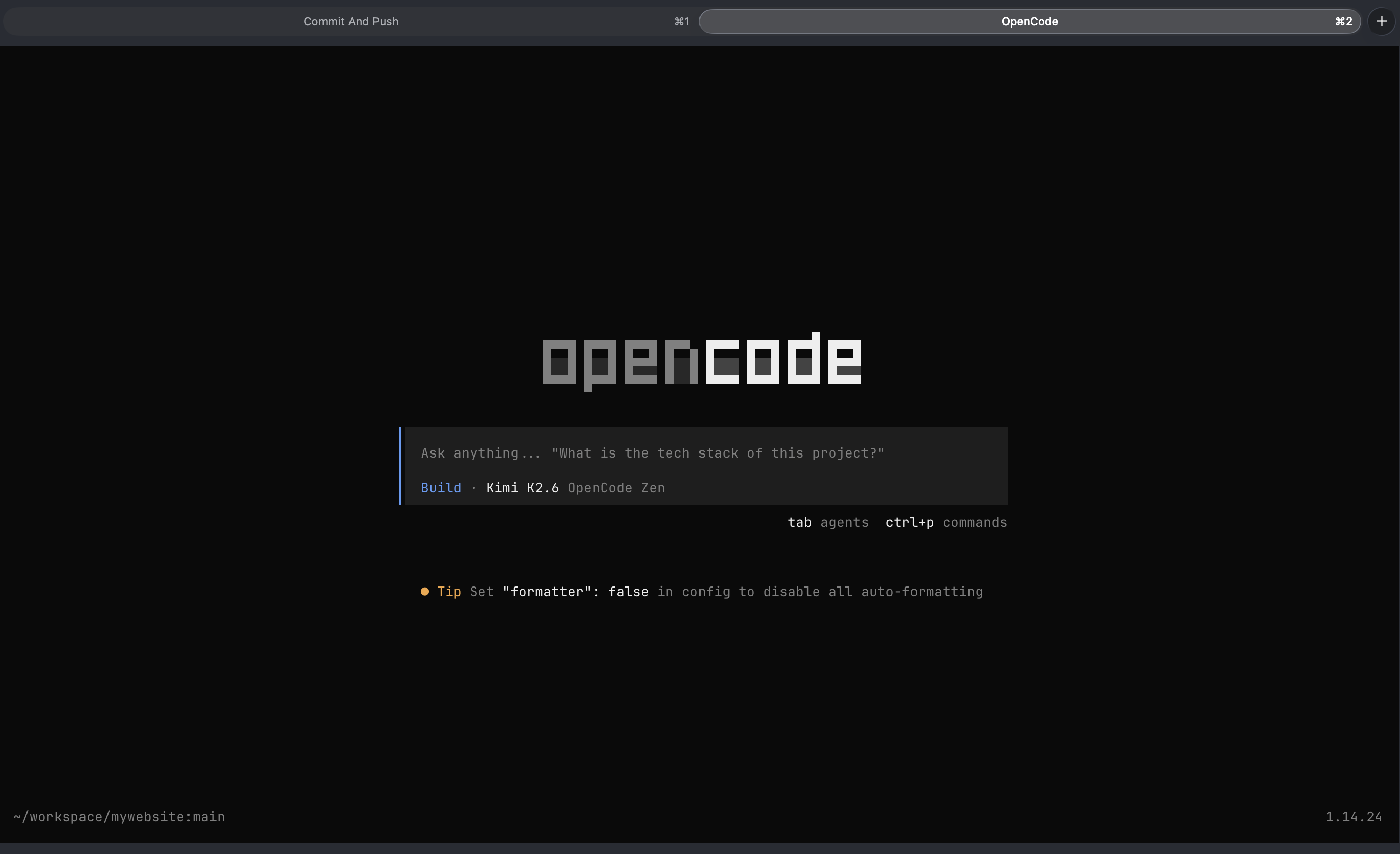
Opencode is an open source AI coding agent built for the terminal (with a desktop app and IDE extension too). It's provider-agnostic, compatible with 75+ models across Anthropic, OpenAI, Google, local models, and a growing roster of cost-effective open-source options. It doesn't lock you into any single vendor, which matters a lot as the model landscape evolves.
What won me over, practically, was the freedom to choose the right model for the right task. For planning and conversation, a cheaper model is more than sufficient. For actual implementation, you switch up. Opencode makes that trivially easy.
I've switched to using Kimi K2.6 as my primary coding model, genuinely strong at code and a fraction of the cost of frontier models. Opencode's Go subscription ($10/month after the first $5) gives generous access to Kimi K2.6 and a slate of other capable open-source models without the anxiety of watching a token meter run.
The plan mode workflow maps perfectly here too: use a lightweight model to refine the plan, switch to your best coding model for the actual run. Spend your tokens where they count.
The IDE Question: When the Terminal Isn't Enough
Not everyone lives in the terminal. For developers who prefer a more visual environment, or engineering teams where IDE familiarity is part of the culture, the terminal-first approach can feel like a barrier.
The good news is that IDEs are rapidly evolving to treat agentic coding as a first-class feature, not an afterthought.
Opencode Desktop exists and is worth watching. The team only launched it recently, and it shows. It has rough edges compared to the battle-tested terminal version. If you want the Opencode experience with a visual interface, the terminal is still the more mature and enjoyable way to run it. But that gap will close.
For a more polished IDE experience today, I point people toward Zed.
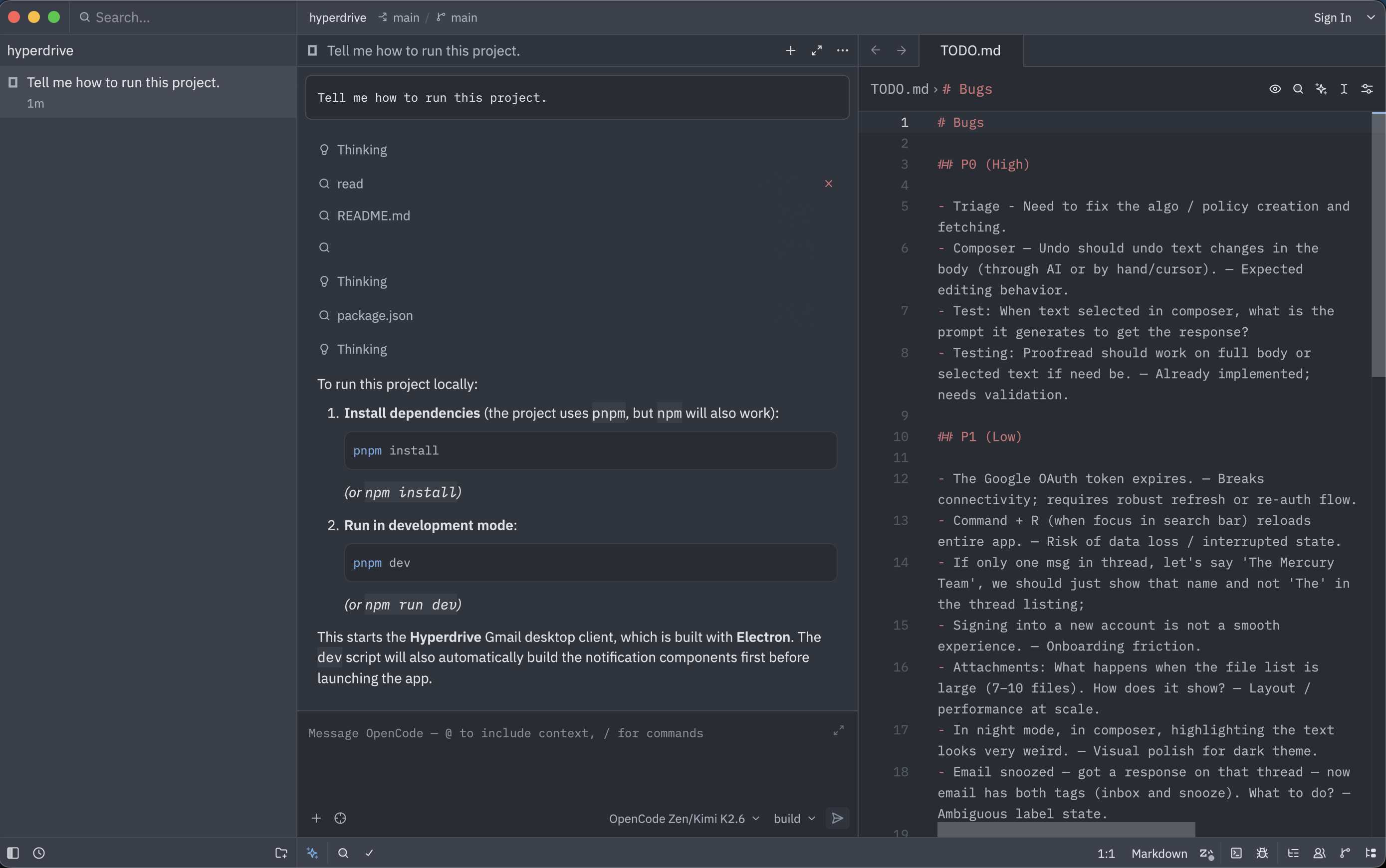
Zed is everything I want in an editor from a values perspective: fully open source under GPL v3, built from scratch in Rust, not a wrapper around Electron or Chromium. The team behind it are the same people who built Atom and Tree-sitter, and they have serious editor pedigree.
From a performance standpoint, Zed is genuinely in a different class. It renders through the GPU, which means typing latency stays in milliseconds even in large codebases. Coming from VS Code, the speed difference is immediately noticeable.
But what makes Zed relevant to this specific workflow is its approach to agents. It supports any agent via the Agent Client Protocol (ACP), including Opencode. You can connect MCP servers, bring your own API keys, and stay completely provider-agnostic. The agent panel is cleanly integrated, plan mode works, and the overall experience feels like a tool designed for how developers actually work with AI today, not retrofitted.
It's also free to use with your own API keys. No subscription required for the core experience.
My Agentic Coding Workflow, End to End
Here's the workflow, end to end:
- Speak your requirements into Spokenly. Don't overthink it. Be messy. Cover everything you know, including the things you're uncertain about.
- Dump the transcript into Plan Mode in Opencode (terminal or desktop) or Zed. Let the agent produce a structured implementation plan.
- Read the plan carefully. This is not a skim. Look for misinterpretations, missing requirements, anything that could turn into a bug downstream. Speak corrections and additions back into Spokenly. Re-prompt. Iterate until the plan is solid.
- Switch to Build Mode and let the agent run. With a good plan, the implementation pass is usually clean. No half-measures, no surprises.
- Review, test, ship. ✅
Four tools. One coherent workflow. Spokenly for input, Plan Mode for thinking, Opencode for execution, Zed if you want a great IDE to work inside.
Why This Matters Beyond the Tooling
I want to be honest about something. The productivity gains here are real. I ship faster, with fewer bugs introduced in the agentic loop, at a fraction of the cost I was spending before.
But the deeper shift is cognitive. When I'm not fighting my tools, not hunting for the right words to type, not waiting to see if the agent interpreted me correctly, not staring at a token bill, I think better. I make better decisions about what to build and how.
That, more than any specific tool, is what I think the agentic era is actually offering developers: the chance to spend more of your mental energy on the hard parts of software: the architecture, the tradeoffs, the user experience, and less of it on the mechanical act of translating intent into code.
We're still early. The tools are rough in places. But the direction is clear, and this agentic coding workflow is one way to get there today.
I have no affiliation with any of the products or companies mentioned in this post. Spokenly, Opencode, Kimi, and Zed are tools I use because they work for me, nothing more.
These are my personal learnings from building in the open. If something here is useful, I'm glad. If you're exploring similar workflows, I'd love to hear what's working for you.
About the author